
Web Integration Configuration:
Flyer Graphic Best Practices
Learn how to create effective flyer graphics that grab attention and how to upload optimized files that load fast.

Minimal designs and easy-to-read text that deliver vital information quickly
The most successful study flyer graphic designs utilize color and imagery that grabs the viewer’s attention and snappy text that delivers the most vital info in easy to read typography.
Since your web integration generated study listings will include description text that delivers more in depth information, the flyer graphic only needs to include the most critical and informative text. Keep in mind that many applicants will be viewing your study on smaller screens and mobile devices, so flyer graphics that are overloaded with too much text can be very difficult to read for many users.
Flyer graphics are commonly vertically formatted, however, horizontal formats can often fit monitors and mobile device screens better, leaving more real estate and requiring less scrolling to get to details and application forms.
If the sponsor provides you with pre-approved marketing materials, select an option that best follows these basic concepts.
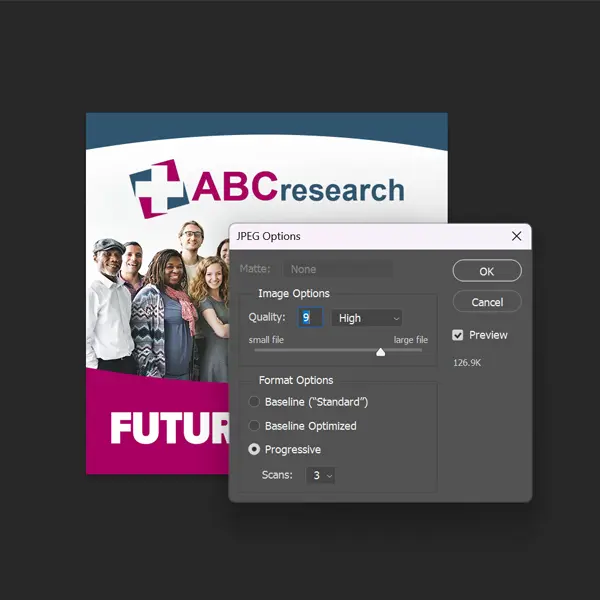
Optimize files for faster load times
Flyer graphics are often originally provided as high-resolution files. This is ideal for printing, but using the high-resolution files on websites can result in very slow load times. Images saved for web do not need to be high-resolution and should be optimized so they load faster. Before uploading flyer graphics in your CTMS, makes sure the file size is as small as possible while still retaining image quality.
Recommended Resolution: Print files are often saved at a resolution of up to 300 dpi or even larger. However, web images should be saved at a standard resolution of either 96 dpi or 72 dpi.
Image Dimensions: The available space for flyer graphics will vary depending on the width of the container it is placed within on your website. If possible, determine the exact width that flyer graphics will display on your website and save at that width. The closer you can get to saving at the exact size, the smaller the file size will be while still retaining image quality.
File Type: .JPG files are supported for upload in the CTMS. Image editing tools such as Photoshop include additional options for optimizing images for web and there are also online tools that can optimize images and reduce file size prior to upload.